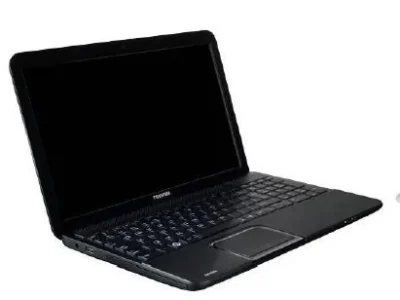
A graduate student or researcher needs a machine that efficiently handles reading dozens of papers in PDF format, reference management programs (Zotero and Mendeley), academic writing (Word or LaTeX), and sometimes statistical analysis programs such as SPSS or R. In this guide we present 3 real options that are actually available, with their exact specifications and prices.
What does an academic researcher actually need?
Academic reading and writing do not need a powerful processor, but working with reference management programs alongside dozens of PDF files open together uses a noticeable amount of RAM. Anyone who uses statistical analysis programs such as SPSS or R with large data needs more RAM (16 GB is preferred) to avoid slowness during processing.
Budget tier: Dell Latitude E5570 (around EGP 7,500)
Suitable for reading papers and everyday academic writing with one reference management program.
- Processor: Core i5 (6th generation)
- RAM: 8 GB
- Storage: 256 GB SSD
- Graphics card: Intel HD Graphics 530 (integrated)
- Display: 15.6-inch HD
See the Dell Latitude E5570 details and current price.
Mid-range tier: HP EliteBook 645 G10 (around EGP 14,500)
The relatively modern AMD Ryzen 5 7530U processor provides better performance in multitasking (reading PDFs + writing + a reference manager + a research browser together) compared with older Intel processors in the same price tier.
- Processor: AMD Ryzen 5 7530U
- RAM: 8 GB
- Storage: 256 GB SSD
- Graphics card: AMD Radeon Vega (integrated)
- Display: 14.1-inch
See the HP EliteBook 645 G10 details and current price.
Best for those who use SPSS or R for statistical analysis: Dell Latitude 5440 (around EGP 19,000)
Researchers who work on analyzing survey data or large statistical models through SPSS or R benefit directly from 16 GB of RAM, which reduces processing time and prevents the program from freezing when running complex models.
- Processor: Core i5 (13th generation)
- RAM: 16 GB
- Storage: 512 GB SSD
- Graphics card: Intel Iris Xe (integrated)
- Display: 14-inch FHD
See the Dell Latitude 5440 details and current price.
Buying tip: RAM determines your ability to work with several programs together
If your research includes statistical analysis of actual data, invest in more RAM from the start instead of upgrading later. Anyone who works on general data analysis and advanced Excel can check the guide to the best laptop for data analysis and advanced Excel.
Frequently asked questions
Do I need a lot of RAM for reference management programs such as Zotero and Mendeley?
The programs themselves are light, but using them alongside dozens of open PDF files, a research browser and a text editor uses RAM cumulatively. 8 GB is enough for normal use, and 16 GB is better for those who constantly open several programs together.
Do I need a dedicated graphics card for SPSS or R?
No, these programs depend on the processor and RAM, not the graphics card. An integrated graphics card (Intel or AMD) is completely enough for this use.
Does the processor generation actually make a difference in statistical data analysis?
Yes, to some extent, especially with complex statistical models or large data, but RAM remains the factor with the greatest effect on preventing freezing and slowness.
Is an SSD necessary for an academic researcher?
It is very useful for speeding up the opening of many PDF files and reference management programs, and it is strongly recommended compared with a traditional HDD hard drive.