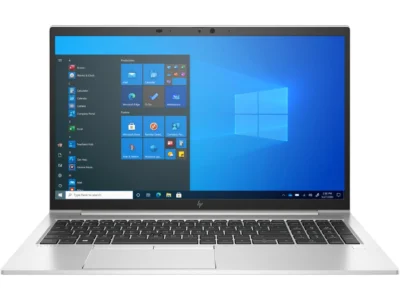
The direct answer: If you want a lighter, newer device with a processor that is faster per watt and an SSD ready out of the box, the HP EliteBook 850 G3 (EGP 9,500) is the more suitable choice for office work and daily moving around. But if you work on light design or engineering software and want a dedicated professional graphics card at a lower price, the Lenovo W530 (EGP 7,000) offers a completely different value even though it is an older generation.
These two devices are not exactly in the same class: the EliteBook 850 G3 is a light, relatively recent business laptop, and the W530 is an older mobile workstation with a dedicated Quadro graphics card. The comparison here is useful for anyone hesitating between “a newer business device” and “an older workstation with professional specs at a lower price” — which is actually a common decision among our customers.
Quick comparison table
| Spec | HP EliteBook 850 G3 | Lenovo W530 |
|---|---|---|
| Class | Business Ultrabook | Mobile Workstation |
| Processor | Core i5-6600 (6th generation) | Core i7 (3rd generation) |
| RAM | 8GB | 8GB |
| Storage | SSD 256GB | HDD 500GB |
| Graphics card | Intel HD Graphics (integrated) | NVIDIA Quadro K1100M 2GB (dedicated) |
| Screen | 15.6-inch FHD | 15-inch FHD |
| Price | EGP 9,500 | EGP 7,000 |
Where does the HP EliteBook 850 G3 come out ahead?
The 6th generation processor is three full generations newer than the W530’s processor (3rd generation), and this means better performance per watt, less heat, and longer battery life in practice. More importantly, the EliteBook 850 G3 comes with an SSD instead of the traditional hard drive, and this alone makes opening the system, programs and files noticeably faster in daily use — office work, browser, Office, online meetings. The device is also lighter and more suitable for constant moving around.
Where does the Lenovo W530 come out ahead?
The real advantage of the W530 is the dedicated NVIDIA Quadro K1100M graphics card, which is a professional graphics card (not a gaming card) designed for compatibility with software such as AutoCAD and SolidWorks and 2D and 3D design. If you are an engineering student or work on light to medium design software and do not need the latest processor, having a dedicated graphics card at a price EGP 2,500 lower gives you a value that the EliteBook 850 G3 does not offer at all, because its card is integrated only. The only drawback is the traditional hard drive (it can be upgraded later to an SSD at a small extra cost) and the older processor.
The bottom line: which one do you choose?
Choose the HP EliteBook 850 G3 if your use is purely office work (Office, browser, accounting or administrative software) and you want a device that is newer, lighter and faster in daily use thanks to the SSD.
Choose the Lenovo W530 if you need a dedicated professional graphics card for light design or engineering software, want to save EGP 2,500, and do not mind an older processor and a traditional hard drive (upgradeable).
How do you compare any two devices yourself?
When comparing any two used laptops, arrange your priorities in this order: first the type of actual use (regular office work or design/engineering), then the storage type (SSD is better than HDD in almost all cases), then the processor generation, then whether or not there is a dedicated graphics card, and finally the price. Do not judge the device by the processor generation alone — sometimes a device with an older processor but with a professional graphics card is more suitable for a particular use than a newer device without a graphics card.
For more direct comparisons, see also the Dell Latitude vs HP EliteBook comparison and the Dell Latitude vs Lenovo ThinkPad comparison, or browse the general guide to choosing an imported laptop to find out all the options available according to your budget.
The two products in this comparison
- HP EliteBook 850 G3 | RAM 8GB | Core i5-6600 6th Gen | SSD 256GB — currently unavailable
- Lenovo W530 | Core i7 | RAM 8GB | HDD 500GB | Quadro K1100M 2GB — EGP 9,000
Is the HP EliteBook 850 G3 better than the Lenovo W530 in all cases?
No. The EliteBook 850 G3 is better for regular office use thanks to the SSD and a newer processor, but the W530 comes out ahead for anyone who needs a dedicated Quadro graphics card for light design or engineering software, and at a lower price.
Is the EGP 2,500 difference between the two devices worth it?
It is worth it if your use is purely office work and you want a faster and lighter device thanks to the SSD and a newer processor. It is not worth it if you need a dedicated graphics card, because the W530 offers it at a lower price despite its old processor.
Can the Lenovo W530’s hard drive be upgraded to an SSD?
Yes, the W530 supports upgrading the traditional hard drive to an SSD at a small extra cost, and this greatly improves the device’s speed while keeping the advantage of the dedicated graphics card.
Which one is more suitable for an engineering student who uses light design software?
The Lenovo W530 is more suitable thanks to the Quadro K1100M card, which is compatible with software such as AutoCAD, while the EliteBook 850 G3 with its integrated card does not offer the same compatibility with this software.