The direct answer: i3 suits simple basic use (browsing, office applications, online education), i5 is the balanced choice for most users (office work, multitasking, light programming), and i7 is meant for heavy tasks (design, video editing, advanced software development). But the generation number remains a decisive factor too, not only the name of the tier.
A quick comparison of the three tiers
| Tier | Typical number of cores | Suitable for | Real example |
|---|---|---|---|
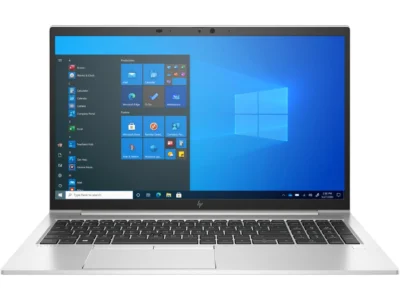
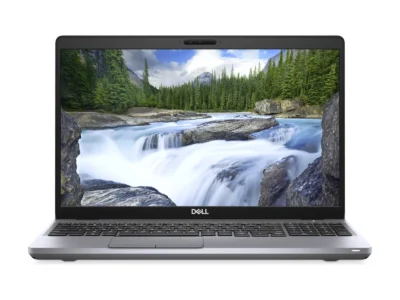
| Core i3 | Fewer (usually 2-4 cores) | Browsing, basic office applications, simple use | Dell Latitude 3310 (i3, 8th generation) — EGP 6,500 |
| Core i5 | Medium (usually 4-6 cores) | Office work, multitasking, light to medium programming | Dell Latitude 5440 (i5, 13th generation) — currently unavailable |
| Core i7 | Higher (usually 6-14 cores depending on the generation) | Design, video editing, advanced development, heavy tasks | Dell Precision 7670 (i7, 12th generation) — currently unavailable |
Why is the generation sometimes more important than the tier name?
An i5 processor from a recent generation may actually outperform an i7 processor from a generation several years older, especially in power efficiency and the speed of everyday tasks. So when comparing, do not look at the tier name only; check the generation number as well. See our detailed guide to the difference between i5 and i7 in the same generation to understand this point in more depth.
Which one should you actually choose?
If your budget is limited and your use is simple (browsing, WhatsApp Web, documents), an i3 from a relatively recent generation saves you money without sacrificing much. If you want a laptop that serves you for years in varied office work, i5 is the best balance between price and performance. But if your work really requires high processing power (design, video editing, heavy programming), invest in an i7 without hesitation.
Is i3 enough for programming or simple design?
It is enough for learning basic programming or very simple design, but it will struggle with larger projects or heavy software. For serious programming or regular design work, i5 is a safer choice.
Is the price difference between i5 and i7 always worth it?
Not always. If your daily use does not constantly require high processing power (heavy design, video editing, rendering), an i5 from a good generation offers better value for the price than an i7.
Does an i7 processor drain the battery faster than an i5?
In general, yes. i7 processors, especially in the H class (high performance), use more power than the equivalent i5, which may reduce battery life under intensive use, although power efficiency has improved a lot in recent generations.
Are there i9 processors in laptops too?
Yes, i9 is the top tier above i7 in some specialised high-performance laptops, but it is less common and more expensive, and it is meant for exceptionally heavy professional tasks.